Ray Tracing in One Weekend
Introduction
I wanted to learn more about ray tracing given its growing popularity in games. I have very little experience in graphics programming (the usual OpenGL triangle render aka "Hello, World!" of graphics programming was the extent of it). I found the well known resource: Ray Tracing in One Weekend (RTIOW) and decided to work my way through the first book. Once finished I wanted to create a nice frontend in which I can play around with camera settings given the current scene. Feel free to explore the c++ code in this repository and test it out below!
Features
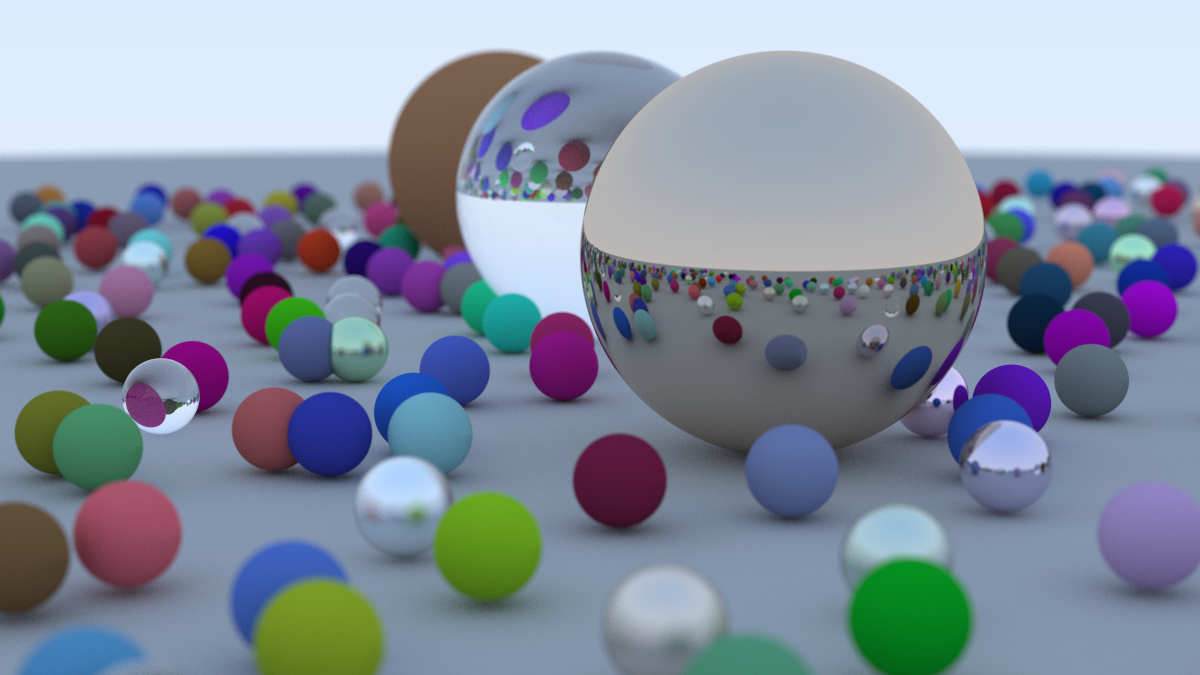
The ray tracer built in RTIOW has recursive ray casting, antialiasing, and gamma correction. The method of antialiasing used in the ray tracer is super sampling, this is when you sample the pixels around the target pixel and average the colours to get a smoother transition between objects of different colours. This reduces "jaggies".
The camera can be adjusted (in the demo below and c++ code), you can adjust where you are looking from lookfrom and where you are looking at lookat. The ray tracer can also adjust the depth of field defocus_angle this simulates a lens with a focus distance and aperture. Lastly, the field of view, vfov can be modified.
To conclude the ray tracer supports three materials currently, lambertian (diffuse), metal (reflective), and dielectric (glass). Each material is used at least once in the scene.
Sample Output
The following render was generated with the highest settings.
Playground
In the playground you can adjust a few parameters. Some of them were discussed above, others were not. The samples is samples per pixel which is how many rays are cast for each pixel, this reduces graining. Not to be confused with sampling for antialiasing. The other parameter is quality. There are three options for quality, preview, medium, and high. This parameter is the pixel width of the output render, preview: 400px, medium: 800px, high: 1200px.
Something to note: this renderer is single-threaded, so the page will appear frozen while rendering. This is expected. Higher sample counts and quality settings will take significantly longer to render.